
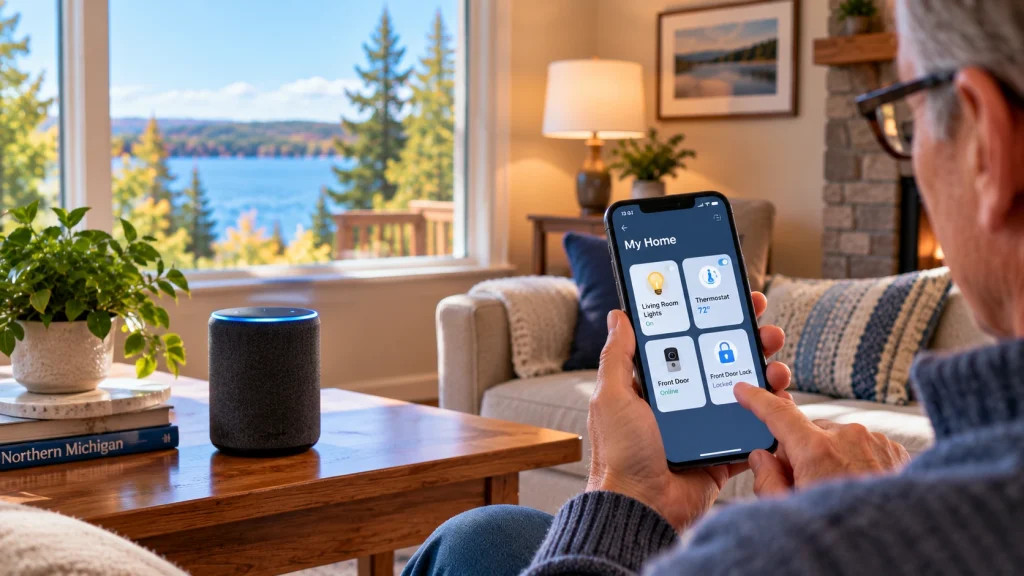
Setting up smart home devices can make everyday life more convenient, but getting started isn’t always as simple as the advertisements make it look. Between smartphone apps, Wi-Fi connections, passwords, and unfamiliar settings, even a basic smart speaker or light bulb can feel confusing at first.
The good news is that you don’t need an expensive system or advanced technical knowledge to enjoy the benefits of smart home technology.
Whether you’re interested in controlling lights with your voice, adjusting your thermostat from your phone, or seeing who’s at the front door, this beginner-friendly guide will help you understand how smart home devices work and how to get started.
1. Understand What Makes a Device “Smart”
A smart home device is an everyday household product that can connect to other technology, often through Wi-Fi, Bluetooth, or a compatible smart home hub.
Depending on the device, this connection may let you control it through a smartphone app, use voice commands, or automate certain tasks.
Common smart home devices include:
- Smart speakers: Play music, answer questions, set reminders, and control compatible devices.
- Smart light bulbs: Turn lights on or off, adjust brightness, and create schedules.
- Smart plugs: Control compatible lamps and other simple electrical devices.
- Smart thermostats: Adjust heating and cooling settings, sometimes from outside your home.
- Video doorbells: Show visitors at your front door and send notifications to your phone.
- Smart locks: Provide supported options for locking and unlocking doors electronically.
You don’t need all of these devices to have a smart home. Starting with one useful product is often the best approach.
2. Choose a Device That Solves an Everyday Problem
Before buying anything, think about what you’d actually like technology to help you do.
For example:
- If you have trouble reaching a light switch, a smart bulb or compatible smart plug might be useful.
- If you frequently forget appointments, a smart speaker may help you set reminders.
- If you want to check who’s at your door, a video doorbell may be worth considering.
- If you want more convenient temperature control, a compatible smart thermostat could be helpful.
It’s easy to purchase technology because it looks impressive, only to discover that you rarely use it.
My recommendation: Start with one device that addresses a specific need. Learn how it works before adding more products.
3. Make Sure Your Home Wi-Fi Is Ready
Many smart home devices rely on your home’s wireless internet connection.
If your Wi-Fi signal is weak or unreliable in the area where you plan to install a device, you may experience connection problems.
For example, a video doorbell near your front entrance might struggle to connect if your router is located at the opposite end of the house.
Before Setting Up a Device
- Confirm that your internet connection is working.
- Check the Wi-Fi signal where the device will be used.
- Have your Wi-Fi network name and password available.
- Review whether the device requires a 2.4 GHz, 5 GHz, or other supported connection.
- Make sure your smartphone can connect to the same home network when required by the setup process.
Some smart devices support only 2.4 GHz Wi-Fi. This doesn’t necessarily mean your router is incompatible, but it may affect the setup process.
If you’re already having wireless connection problems, read my guide on how to improve Wi-Fi coverage in your home before purchasing additional equipment.
4. Check Compatibility Before Buying
Not every smart home device works with every phone, voice assistant, or existing smart home system.
You may see compatibility labels such as:
- Amazon Alexa
- Google Home
- Apple Home
- Matter
These labels help indicate which platforms or connection standards a product supports.
Matter is a smart home connectivity standard designed to improve compatibility between supported products and platforms. However, Matter support doesn’t guarantee that every feature will work identically with every system.
Before purchasing a device, check:
- Whether it works with your iPhone or Android phone.
- Whether it supports the voice assistant or smart home platform you already use.
- Whether it requires a separate hub or additional equipment.
- Whether certain features require a paid subscription.
- Whether your home has the necessary wiring or power connection.
For smart thermostats, doorbells, locks, and other installed equipment, compatibility may involve more than an app. Always check the manufacturer’s hardware and installation requirements.
5. Follow the Device’s Setup Instructions
Most consumer smart home devices are designed to be configured through a smartphone app.
The exact process varies by manufacturer, but many follow a similar sequence.
Basic Smart Device Setup Steps
- Unpack the device. Check that all required parts and instructions are included.
- Connect power or install batteries. Follow the manufacturer’s directions.
- Download the official app. Use the app recommended by the manufacturer from a trusted app store.
- Create or sign in to an account. Some devices require an online account to operate.
- Start the setup process. The app may ask you to scan a QR code or select your device.
- Connect the device. Follow the prompts for Wi-Fi, Bluetooth, or hub pairing.
- Test the device. Confirm that its basic features work before adding more settings.
Helpful tip: Keep the device close to your router during initial setup if the manufacturer recommends it. Once connected, move it to its intended location and test the connection again.
Don’t repeatedly reset a device to factory settings unless the setup instructions or troubleshooting process call for it.
6. Give Devices Simple, Recognizable Names
Once your smart devices are connected, give them names that make sense to you.
For example, instead of leaving a smart light named “Bulb 0027,” you might call it “Living Room Lamp.”
Other examples include:
- Kitchen Light
- Bedroom Lamp
- Front Door Camera
- Hallway Thermostat
- Office Speaker
Clear names make devices easier to recognize in an app and can improve voice control when supported.
If you use a voice assistant, avoid giving several devices nearly identical names. That can make it harder for the assistant to determine which device you mean.
7. Start With Simple Voice Commands and Schedules
One of the most useful benefits of smart home technology is being able to control everyday devices without navigating multiple apps.
Depending on your equipment, you may be able to say things like:
- “Turn on the living room lights.”
- “Set a reminder for tomorrow morning.”
- “What’s the weather today?”
- “Turn off the bedroom lamp.”
Some devices also support schedules and routines.
For example, you might configure compatible lights to turn on at sunset or turn off at bedtime.
Start simple. Make sure you understand how to control a device manually before creating complicated automations.
It’s also helpful to know what happens when the internet connection is unavailable. Some devices retain basic local controls, while others lose certain smart features.
If you’re still learning your phone’s everyday features, read my guide on how to make your smartphone easier to use, including voice commands, accessibility settings, and simpler navigation.
8. Review Privacy and Security Settings
Smart home devices are connected technology, which means security and privacy deserve attention.
This is particularly important for devices with cameras, microphones, or access to your home’s entry points.
Smart Home Safety Basics
- Use strong, unique account passwords. Avoid reusing passwords from other services.
- Enable multifactor authentication. Use it when supported by the device or account.
- Install firmware updates. Keep devices updated using official manufacturer tools.
- Review privacy settings. Understand what information the device collects and stores.
- Check account sharing. Know which family members or other users can access the device.
- Use secure Wi-Fi. Protect your home network with WPA2-AES or WPA3 security where supported.
- Consider ongoing costs. Some camera and doorbell features require subscriptions.
For video doorbells and indoor cameras, review recording settings, notifications, and who can view saved footage.
If a device is no longer receiving security updates from its manufacturer, consider whether continued use is appropriate.
For more information about recognizing suspicious online messages, read my guide on how to recognize scam emails and text messages.
9. Know When Installation Requires Extra Help
Some smart home products are easy to set up on a table or plug into an outlet. Others involve wiring, mounting, electrical systems, or specialized equipment.
For example:
- A smart speaker usually requires little more than power, an app, and a connection.
- A smart plug may be straightforward if it’s used with a compatible appliance.
- A video doorbell may require mounting and electrical compatibility checks.
- A smart thermostat may require verifying HVAC wiring and system compatibility.
- A smart lock may require hardware adjustments and careful testing.
Never attempt electrical or HVAC wiring work if you’re unfamiliar with the equipment or the safety requirements.
For installations involving electrical modifications or other specialized work, use an appropriately qualified professional.
For everyday setup tasks, such as downloading apps, connecting devices to Wi-Fi, configuring accounts, and learning how to use features, in-home technology assistance can make the process easier.
Common Smart Home Setup Problems
If a new device won’t connect or work as expected, check a few basics before returning it.
The Device Won’t Connect to Wi-Fi
Confirm that you’re using the correct network and password. Check whether the device supports your router’s wireless frequency bands and whether the signal is strong enough at its location.
The App Can’t Find the Device
Make sure the device is powered on and in its setup or pairing mode. Review any Bluetooth, local network, or location permissions required by the manufacturer’s setup process.
Voice Commands Aren’t Working
Confirm that the device is connected to the appropriate smart home platform and that you’re using the name assigned to it.
The Device Keeps Disconnecting
Check Wi-Fi coverage, power, firmware updates, and whether other devices are experiencing similar connection problems.
If the problem continues, the manufacturer’s support documentation may identify device-specific requirements.
Get Help Setting Up Smart Home Devices
Smart home technology should make your home more convenient, not create another source of frustration.
If you’re interested in trying smart speakers, lights, plugs, or other connected devices but aren’t sure how everything works together, you don’t have to figure it all out on your own.
At Lake Effect Works, I provide friendly, patient, one-on-one technology assistance in your home.
I can help with everyday smart home tasks such as:
- Connecting compatible devices to your home Wi-Fi.
- Installing and configuring smartphone apps.
- Setting up smart speakers and voice assistants.
- Configuring compatible smart bulbs and plugs.
- Understanding device settings and notifications.
- Troubleshooting common connection and setup problems.
- Learning how to use your devices with confidence.
My focus is on practical technology help and everyday device setup, not electrical, HVAC, or specialized installation work.
Lake Effect Works serves Traverse City, Charlevoix, Elk Rapids, Bellaire, and surrounding Northern Michigan communities.
Explore My Technology Help Services
Frequently Asked Questions
Do smart home devices need Wi-Fi?
Many do, but not all. Some devices use Bluetooth, Thread, Zigbee, or other connections and may require a compatible hub or controller. Internet access is often needed for remote control, account features, or updates.
Do I need a smart speaker to use smart home devices?
No. Many smart devices can be controlled directly through a smartphone app. A smart speaker is optional unless a particular setup requires one for specific features.
Can I use smart home devices with an older smartphone?
Possibly. Check the manufacturer’s minimum operating system and app requirements before purchasing. Some newer products may not support older phones.
Are smart home devices difficult to set up?
Some are relatively simple, while others require additional equipment, compatibility checks, or more involved installation. Starting with a basic smart plug, bulb, or speaker can be a good way to learn.
Can someone help set up smart home devices at my house?
Yes. Lake Effect Works offers in-home technology assistance throughout Northern Michigan, including help connecting compatible smart devices, configuring apps, and learning everyday features. Visit my Get Help page to discuss your setup needs.